
How To Login CyberPanel WordPress?
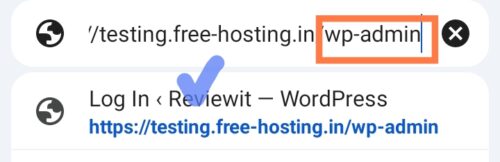
– Find the WordPress admin URL: Typically https://your-domain.com/wp-admin
– Log in to WordPress: Use your WordPress admin username and password (the ones you set when WordPress was installed via CyberPanel or later via WordPress’ own reset).
Step 1:
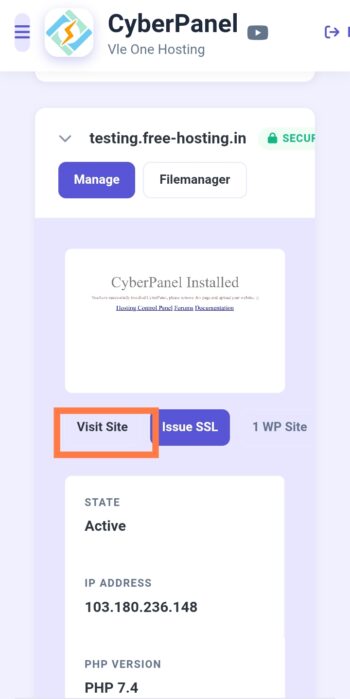
Step 2: yourdomainname.com/wp-admin

Open Login Page:
If you have forgotten your WordPress password, then follow any of the two methods given below.
First Method – Forget Password: Your WordPress -Use this Setup Via Email.
B- Enter your- WordPress Email Id
Enter the email ID that is registered on WordPress.
Check your email address – You should have received a WordPress reset password. Copy this link and open it in your browser to reset your password.
C- Check Email -Copy URL and Open your Browser – Open URL Link 🔗
Now to access WordPress, go to yourdomain.com/wp-admin and login.
If you are not receiving the WordPress password reset – email, please reset your password using PhpMyadmin. This is the most effective method.
Second Method: Set WordPress password via database-PHPMYadmin:
Setup: B-
1 Databases:
2 Access Phpmyadmin:
Edit: Wp Users
First, check out their website.
User – Password – MD5 – Newpassword.
Click – Go Button.
Your new password will be set as soon as you click the GO button. If it doesn’t, try again.
Login: to WordPress with the new password.
Example URL Link: yourdomainname.com/wp-admin
Please simply enter your website URL link, write /wp-admin after the website link and login with your new password.
Please note: If you are unable to set your WordPress password yourself, contact Vle One customer service.
➡️ Contact US
View Password Reset Video.
Vle One Web Hosting Platforms.
Watch more videos on Cyber Panel.
Youtube ⇒Cybepanel Hosting Videos